
The party room, without the after-party dispute.
Bookings with no double-booking, check-in and check-out inspections with photos and the resident's signature, and a report that shows exactly what changed during the event. All on the management's phone or tablet, working even offline.

30 days free, no credit card · iPhone, iPad and Android
From a notebook and WhatsApp to a record nobody can dispute.
Without the app
- ✕Bookings in the front-desk notebook, and two residents who both think Saturday is theirs.
- ✕Loose photos on the caretaker's phone, with no reliable date and no link to the event.
- ✕"That glass was already broken when I got there." And there's no way to prove otherwise.
- ✕The damage gets noted, but nobody remembers to charge for it or fix it.
With Party Room Inspection
- ✓The app refuses overlapping slots in the same room and schedules both inspections.
- ✓Photos taken inside the inspection, with date, time and the item they belong to.
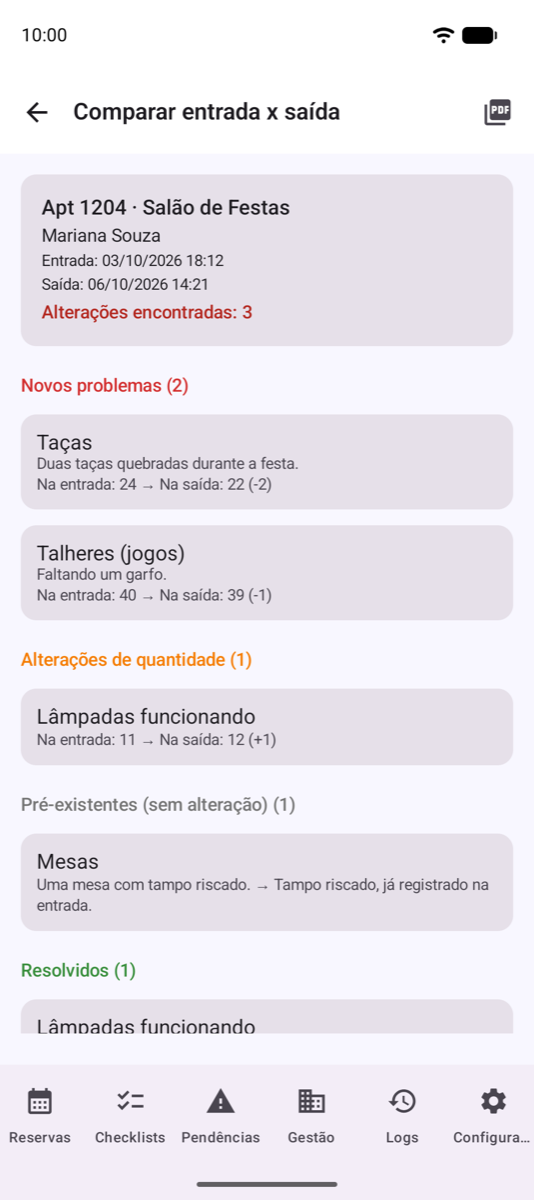
- ✓The resident signs the check-in and the check-out. The report shows what changed in between.
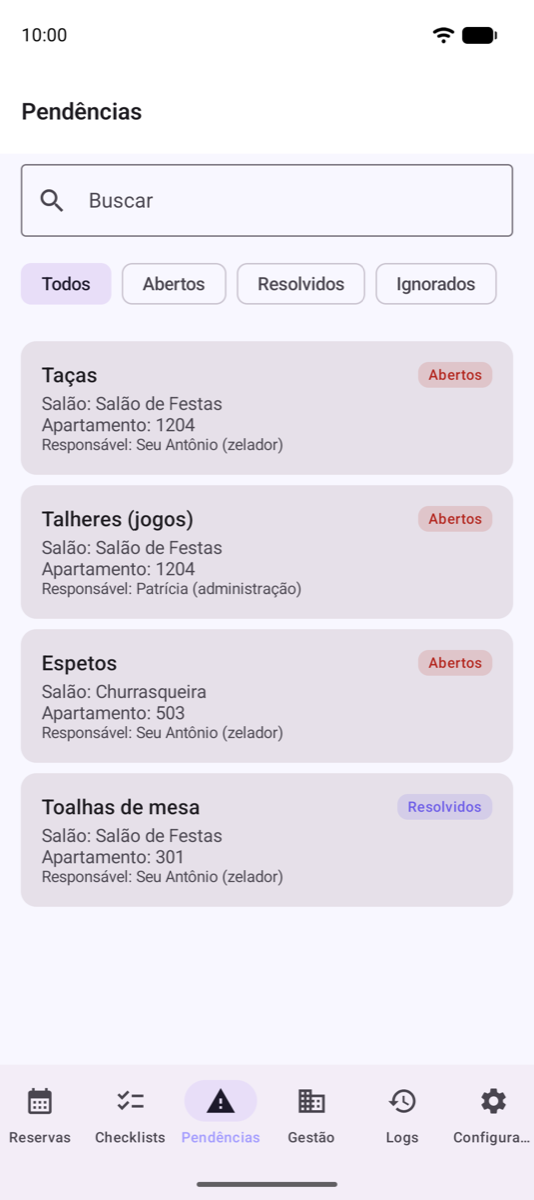
- ✓Every problem becomes an issue with an owner, open until it's resolved.
From booking to handing back the keys, everything on record.
When a resident disputes a damage charge, whoever has the signed, photographed inspection doesn't need to argue.
Conflict-free booking
The app blocks overlapping slots in the same room, respects the cleaning gap between events and schedules both inspections.
Check-in inspection
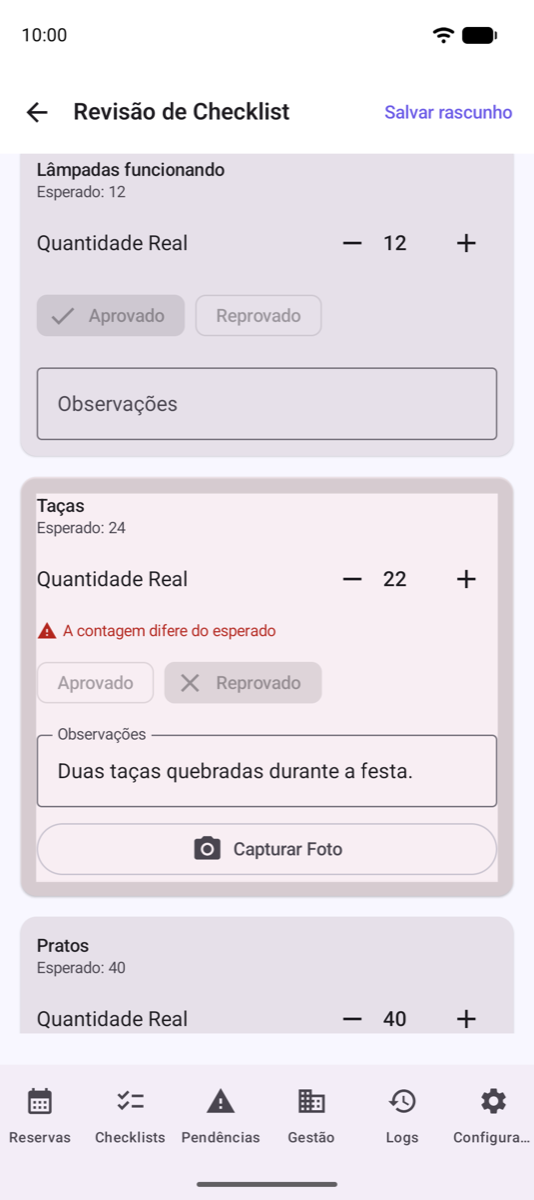
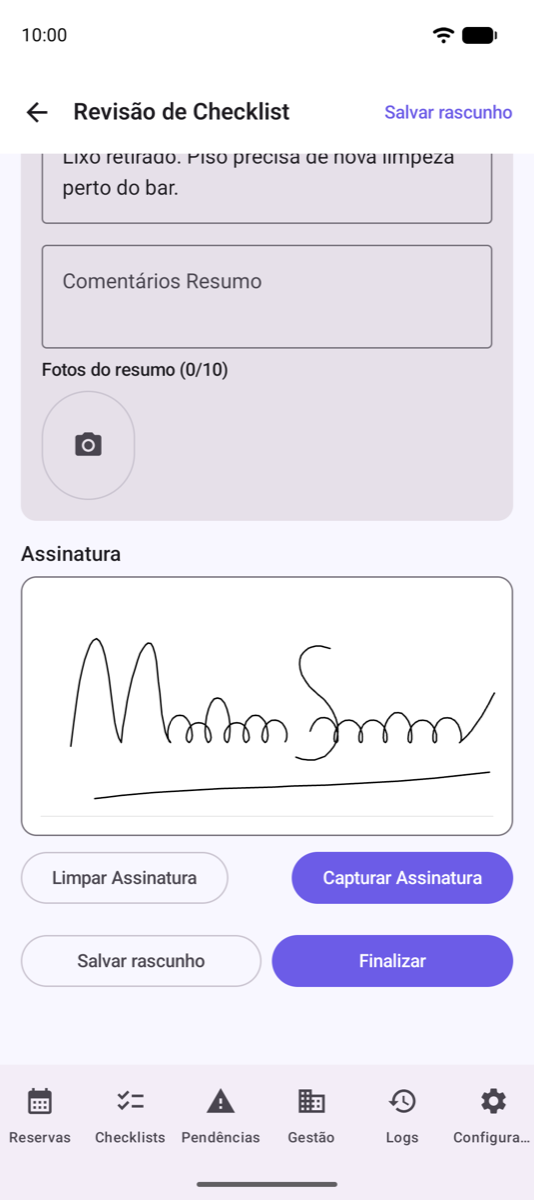
Before the event, staff go through each item with the resident: counts, photos and an on-screen signature.
Check-out inspection
After the event, the same list. A failed item requires a note and a photo, and the PDF is ready to email.
Damage report
The app compares check-in and check-out and lists what's new, what changed in quantity and what was already there.
See a real report. A PDF generated by the app for a sample check-out inspection: the building's logo and name, checked items with expected vs. actual counts, notes on failed items and the resident's signature. Fictional data.
Open sample PDF ↗See the party room inspection in action.
Videos are in Portuguese. The YouTube player (youtube-nocookie.com) loads only when you click; nothing is loaded from YouTube before that.
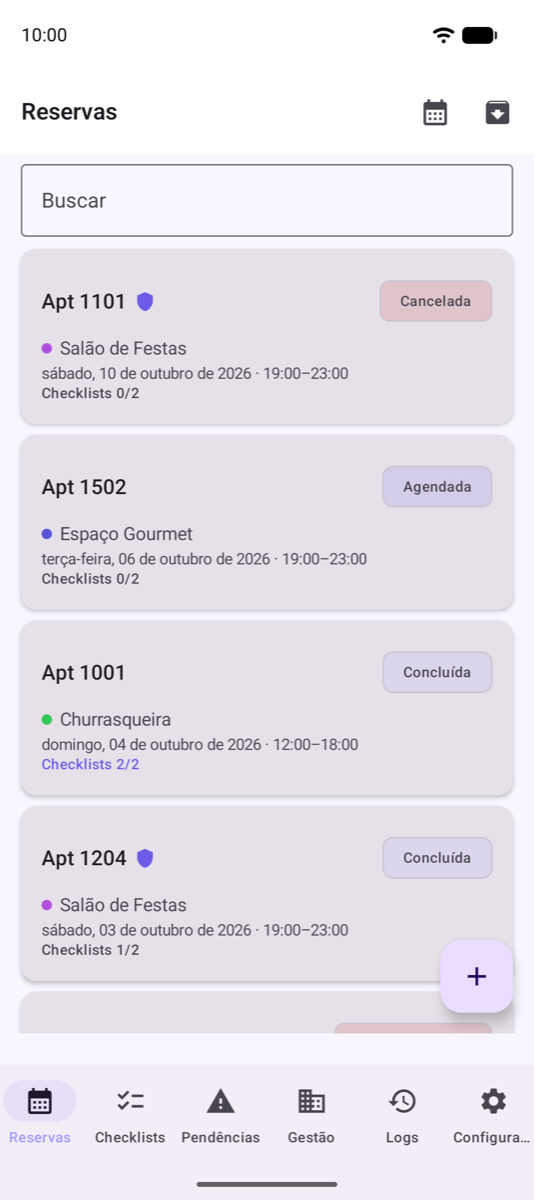
Real screens, exactly as the front desk sees them.
Swipe sideways to see more. Sample data.
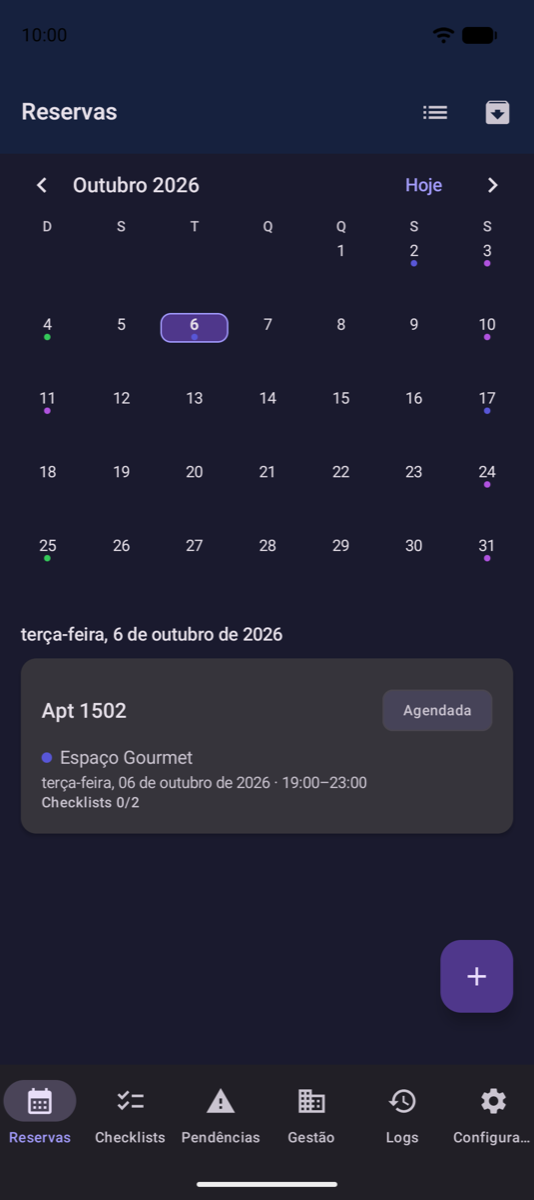
Built for the people who run the room day to day.
Issues that don't get lost
Every failed item becomes an issue with an owner that stays open until it's resolved. No more "did anyone see this?".
Reports and revenue
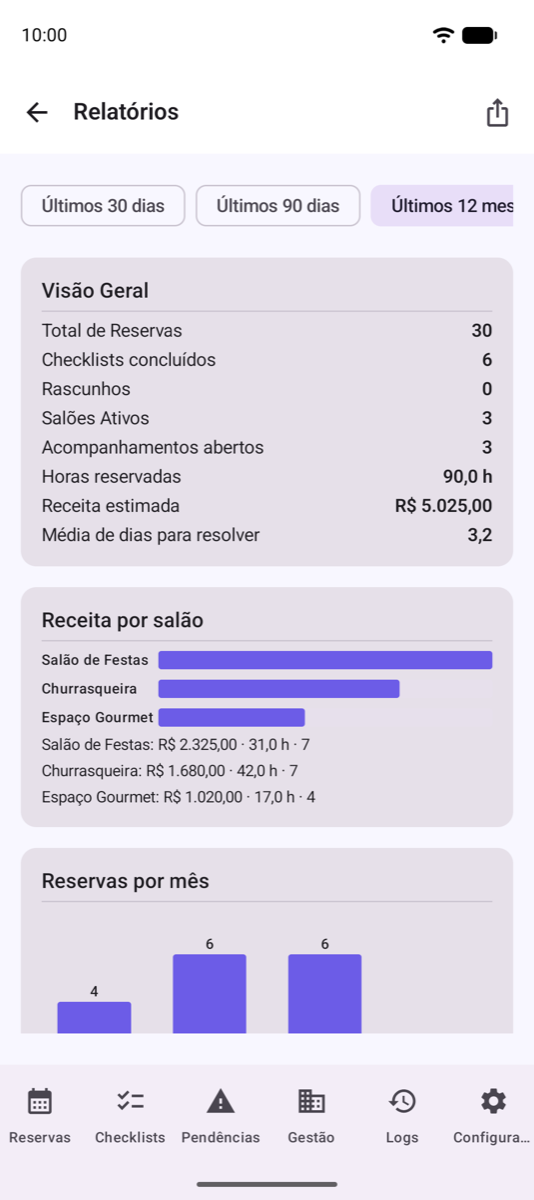
Hours booked, estimated revenue per room, bookings per month and the units with the most issues. Exports to CSV.
Checklist templates
Build the list once (chairs, glasses, grill, TV) and apply it to each party room, BBQ area or gourmet space.
Team with permissions
Admins and staff with their own logins, plus an activity log that shows who did what, and when.
Reminders and widgets
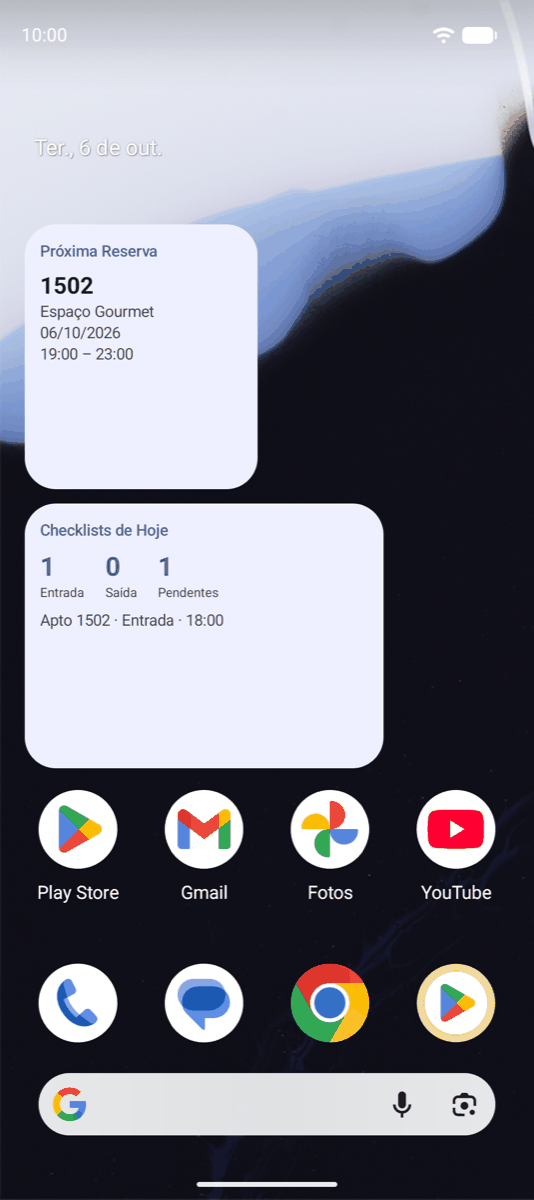
Alerts before every event and inspection, and home-screen widgets with the next booking and today's inspections. 12 color themes and dark mode.
Keep using your spreadsheet
Import bookings from a CSV file or straight from a link (like a published spreadsheet), in Portuguese or English. Rows that would double-book are skipped and listed. It also sends events to your calendar.
Your brand on the report
Add the building's or management company's name and logo, and they appear at the top of every inspection PDF sent to residents.
Just the inspections, if you prefer
Bookings already live in another system? Turn off “Use reservations” and the app becomes inspections only: unit, room, photos and signature, with the same check-in vs. check-out comparison.
Extra security and no-shows
Flag whether an event has an extra security guard and whether it was paid. A cancelled booking or a no-show frees the slot and stays in the history.
Built only for the party room, which is why it does it better.
It isn't a whole building-management suite. It's the tool that handles bookings and inspections of shared spaces, with no per-unit fee.
| Front-desk notebook | Spreadsheet + WhatsApp | General building-management suites | Party Room Inspection | |
|---|---|---|---|---|
| Blocks double bookings | No | No | Yes | Yes |
| Check-in and check-out with photo and signature | Signature only | Loose photos | Varies | Yes |
| Compares check-in vs. check-out automatically | No | No | Rare | Yes |
| Issue with an owner until resolved | No | No | Varies | Yes |
| Works without internet | Yes | Partly | Usually not | Yes |
| Residents' data stays with the building | Yes | Scattered across phones | In the vendor's cloud | Yes |
| Price | Free | Free | Usually per unit | $24.99/month flat |
“General suites” summarizes what's typical in that category; each vendor has its own features and pricing.
Your building's data stays on your device.
Bookings, inspections, photos and signatures are stored on the management's device. We run no server that receives residents' data, and the app shows no ads.
Run the numbers for your own room.
Adjust the values. The math runs only in your browser; nothing is sent.
on the monthly plan ($24.99/month).
A simple estimate to help you decide. Not a promise of results: the app records and proves; charging follows the building's rules.
Try it with your own room for 30 days.
No credit card to start. If it works for you, subscribe through the App Store (iPhone and iPad) or Google Play (Android) and keep the same data.
Everything unlocked from install.
- No credit card
- No automatic charge when it ends
- A heads-up 7 days before it ends
US price, in US dollars. To subscribe, use the App Store on iPhone and iPad or Google Play on Android. Renews automatically. Cancel any time.
- Unlimited bookings, rooms and users
- Check-in and check-out inspections with photos, signature and PDF
- Damage report, issue tracking and revenue reports
- Encrypted backup and CSV export
You subscribe from the app's subscription screen, through your device's store; the final price for your country is shown there before you pay. A yearly plan is also available on Google Play. If the free period ends without a subscription, your data stays on the device.
For companies that run several buildings or clubs.
- Terms for multiple buildings
- Checklist templates ready for your portfolio
- Help rolling it out with each building's staff
Need to convince the board? Take this ready-made proposal to the meeting → No written rules yet? Start from the party room rules template.
Ready for your first event in about 10 minutes.
- Install and sign in1 minGet it on the App Store or Google Play, sign in with
admin/adminand choose a new password. - Add your name and logo1 minUnder Management › Company Data. They go at the top of every PDF.
- Add the room and its item list5 minCreate the room (capacity and hourly price) and build the checklist once: chairs, glasses, grill, TV. Use a template for your other spaces.
- Add your staff2 minOne login per staff member under Management › User Management, so the log shows who did each inspection.
- Create the first booking1 minOr import the bookings already in your spreadsheet. The check-in and check-out inspections are scheduled for you.
Frequently asked questions
How do I sign in the first time?
Tap Sign in and use username admin and password admin. The app asks you to choose a new password right away. Then add your staff under Management › User Management. These credentials exist only on the device and are never sent to any server.
Does it need the internet?
Not for daily use: bookings, inspections, photos, signatures and reports work offline. The internet is only used for the App Store or Google Play subscription, to import bookings from a spreadsheet link (if you set one up) and when you send a PDF or backup.
Can I use it on more than one device?
Data stays on the device where it was entered and doesn't sync on its own. The recommended setup is one management device (phone or tablet) with a login per staff member. To switch devices, export a full backup and import it on the new one.
Does it work on iPhone?
Yes. The app is on the App Store for iPhone and iPad and on Google Play for Android. You subscribe through the store of the device you use the app on.
What if the device breaks or gets lost?
Turn on automatic backup under Settings › Data Management and, from time to time, export a full password-protected backup to somewhere safe, like the management's email or Drive. Without a backup we can't recover the data, because it never goes through our servers.
What happens after the 30 days?
The app gives you a week's notice. If you don't subscribe, use is paused until you do, but nothing is deleted: your data stays on the device and is back as soon as you subscribe.
How do I cancel the subscription?
On iPhone and iPad, in Settings › your name › Subscriptions. On Android, in Google Play › Payments & subscriptions › Subscriptions. Or via “Manage subscription” inside the app. Cancel at least 24 hours before renewal to avoid being charged for the next period.
What about privacy law? The app stores residents' data.
Yes: name, unit, email, photos and signature of whoever books. That data stays on the building's device; the building is the controller and decides what to record and how long to keep it. TRNG neither receives nor accesses it. The app supports full data deletion and configurable activity-log retention. Details in the privacy policy.
Get in touch
Managing several buildings or want the app tailored to your space? Questions, app issues or data requests: get in touch.